PIANO SECTION
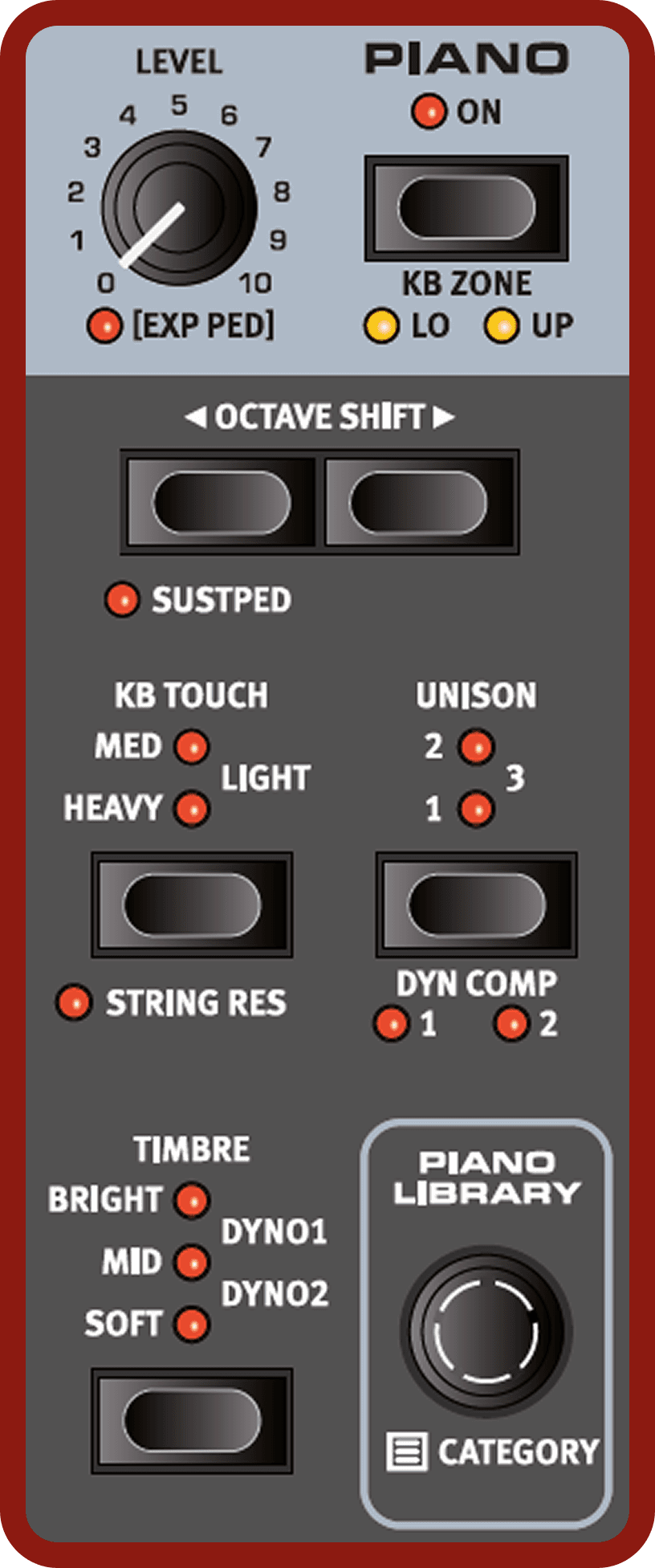
ON/OFF AND KB ZONE
The Piano Section is turned On or Off by pressing its ON button. The KB Zone LO and UP LEDs indicate whether the Piano is assigned to either or both sides of the split point, in a keyboard split scenario. Press KB ZONE (Shift+On), to assign the Piano to the Lower (LO), Upper (UP) or Lower and Upper keyboard zones.
Read more about how to set up keyboard splits
LEVEL AND EXP PED
The LEVEL control determines the output level of the Piano section. The Piano Level can be controlled by an attached Expression Pedal, indicated by the [EXP PED] being lit.
Read more about how to set up Expression Pedal assignments
OCTAVE SHIFT
Use OCTAVE SHIFT ◀︎ / ▶︎ to transpose the Piano up or down by octaves (+/- 12 semitones). When assigned to the entire keyboard it can be transposed one octave up or down. When assigned to a smaller zone the available transpose values will vary, but always provide access to the entire range of the Piano.
SUST PED
SUST PED (Shift+Octave Shift Down) activates any attached sustain pedal for the selected Piano Layer.
Read more on how to configure attached pedals
ABOUT THE PIANO SOUNDS
The Pianos in the Nord Electro 7 are organized into categories. Each Category can contain several instrument models. New piano sounds can be downloaded from the www.nordkeyboards.com website and added to the Nord Electro 7 by using the Nord Sound Manager.
The Nord Electro 7 has 1 GB of memory for Piano sounds and provides an extensive collection of carefully selected pianos of all categories, right out of the box. Much effort was made to ensure a nuanced response and sound, matching the original models as closely as possible. Each piano has been sampled with a vast amount of velocity levels, which is one reason why they all sound and feel so authentic.
When you download piano sounds with the Nord Sound Manager, these are automatically placed into their corresponding Category.
If a Program references a piano that is currently not downloaded onto the Nord Electro 7, the display will read “Piano not found”. If this happens, you can either navigate to another instrument model of the selected (or any other) category and select to use this piano instead, or use the Nord Sound Manager application to download the missing instrument.
ABOUT PIANO SIZE
Nord Piano Library sounds come in up to four different sizes. Below is an overview of how Grand and Upright piano sounds differ in functionality depending on size:
| Sml | Med | Lrg | XL | |
|---|---|---|---|---|
| Detailed velocity mapping | ✔️ | ✔️ | ✔️ | ✔️ |
| String resonance for middle range | ✔️ | |||
| String resonance for entire range | ✔️ | ✔️ | ||
| Fully mapped keyboard | ✔️ |
ABOUT STRING RESONANCE
For Piano Sizes that support it (see table above), the String Resonance feature can be activated by pressing STRING RES (Shift+KB Touch). The String Resonance effect is achieved by a combination of two distinct components:
- The dedicated pedal down samples, activated when pressing the sustain pedal, included in the Med, Lrg and XL sizes of Grand and
Upright piano sounds. These were sampled with the sustain pedal pressed down, capturing the natural ambience and acoustics of the original instrument. - The simulated “sympathetic” String Resonance which occurs when strings of held notes are caused to vibrate at their fundamental or harmonic frequencies as other notes are being played.
PIANO LIBRARY
CATEGORY AND MODEL
To select a Piano sound, press the PIANO LIBRARY dial This displays a list of categories. Select the desired Category and press the dial again, displaying the available Models for that Category. Select the desired Model and press the dial again, which closes the Piano Library view.
| CATEGORY | DESCRIPTION |
|---|---|
| Grand | Acoustic and electric grand pianos |
| Upright | Upright pianos |
| Electric | Electric Pianos (tine and reed based) |
| Clav | Clavinets and Harpsichords |
| Digital | Digital and Layer piano sounds |
| Misc | Miscellaneous sounds |
The name of the selected model is also shown in the Program area display. It is also possible to select Piano sounds without entering the Category view, by simply turning the Piano Library dial. This browses through all availably Piano sounds linearly.
ABOUT THE CLAVINET
On the original Clavinet D6, different pick-up combinations were selected by pressing a number of rocker switches. This functionality is faithfully simulated by the Nord Electro 7, which means that all original Clavinet D6 pickup selections are available.
PICK-UP TYPE DESCRIPTION
Clav Model A: Only the “neck” pick-up; a warmer, less bright sound.
Clav Model B: Only the “bridge” pick-up; a bright sound.
Clav Model C: Both pick-ups on and in phase; a very full sound.
Clav Model D: Both pick-ups 180 degrees out of phase; the fundamental is almost cancelled out and the sound becomes thin.
The Clavinet also has its unique set of Piano Timbre settings, corresponding to EQ options of the original instrument. Read more on Timbre Settings
LIST VIEW
Pressing the the PIANO LIBRARY dial activates the CATEGORY list view for piano sounds:
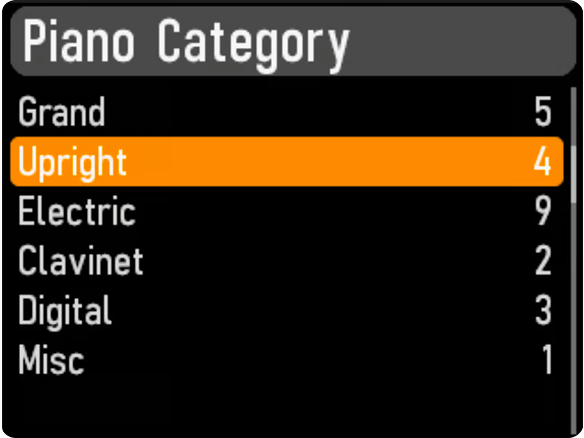
Use the dial to select the desired Category, and press the dial again to view a list of all Models within that Category:
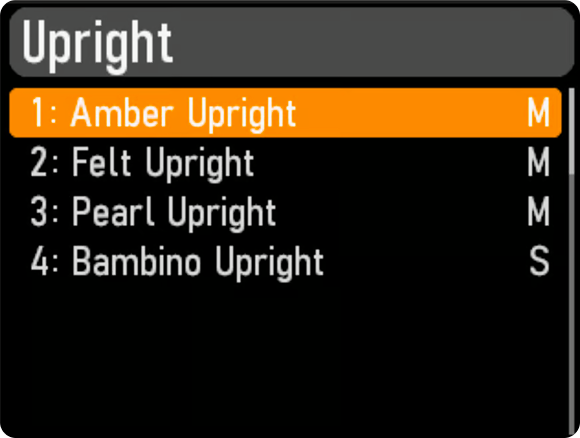
Press the dial again, or Shift/Exit to confirm the choice.
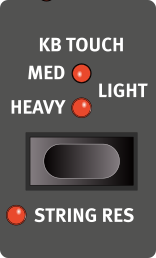
KB TOUCH
Pianos from the Nord Piano Libary typically have a very wide dynamic range, and their dynamic response can be adjusted according to what fits your preferences or the context of your performance.
The HEAVY setting represents a heavy piano action, which facilitates playing softly yet expressively. With each increment of the KB Touch setting (MED and LIGHT) less effort is required to play loudly.
STRING RESONANCE
Pressing STRING RES (String Resonance, Shift+KB Touch) activates or deactivates the String Resonance feature for the selected Piano sound. Note that String Resonance is only available for acoustic piano sounds (Grand and Upright) and is never active for other categories.
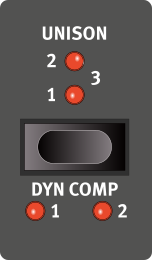
UNISON
The UNISON feature uses transposed voices from neighbouring keys to create a stereo Unison effect. This can be used for stereo widening of mono sources such as electric pianos or for adding width and chorus-like shimmer to acoustic pianos. At the highest setting larger degrees of detune is applied. There are three different degrees of Unison, 1, 2 and 3, ranging from a subtle stereo effect to more obvious detuning.
DYNAMIC COMPRESSION
DYN COMP (Dynamic Compression, Shift+Unison) reduces the dynamic range of a piano sound by raising its minimum sound level, while retaining differences in timbre. Choose between the 1, 2 and 3 settings, where 3 provides the most compression. This feature is useful for maintaining an audible performance and even sound level, even when playing very softly or dynamically.
Unlike the Compressor (Comp) effect in the Effects section, which affects the attack and contour of the sound (often desired traits when using compression as an effect) the Dyn Comp feature does not alter the character of the selected piano.
NORD TRIPLE PEDAL
The Nord Electro 7 is compatible with the Nord Triple Pedal 1 (Nord TP-1).
The Nord Triple Pedal 1 is comprised of three pedals in one unit and unlocks additional features both within the Piano section of the Nord Electro 7 as well as a number of useful options that are not specifically related to Piano playing. Settings for these options are found in the Pedal menu.
SUSTAIN AND HALF PEDALING
The right pedal always functions as sustain pedal. With the Nord Triple Pedal as well as the Nord Single Pedal 2 (Nord SP-2) this can be used with half pedaling techniques, achieved by pressing the pedal half way down. In this case the (virtual) dampers are only half-raised, for a partially dampened sound.
SOSTENUTO
The middle pedal of the Nord Triple Pedal 1 is by default the Sostenuto pedal. Using this, selected notes can be sustained while other notes remain unaffected. Notes that are already held down when the pedal is operated will sustain while subsequent notes, played while the pedal down is, will not be sustained.
There are a number of optional functions for the middle pedal, see Pedal Menu for further details.
SOFT PEDAL
The left pedal on the Nord Triple Pedal is by default the soft pedal, also known as the Una Corda. When it is pressed down, all played notes will be slightly lower in volume and also have a slightly more subdued tone quality.
There are a number of optional functions for the left pedal, see Pedal Menu for further details.
TIMBRE
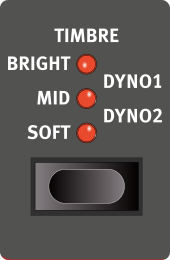
Use the Piano TIMBRE settings to quickly alter the frequency response and character of the selected piano sound.
The available options and the actual effect of each setting varies with the selected Piano Category, as outlined below.
ACOUSTIC PIANO TIMBRE SETTINGS
The SOFT setting gives the sound a subdued and intimate quality by dampening high frequency content and emphasizing the low end
The MID mode de-emphasizes both high and low frequency ranges, making for a focused and cutting sound with a prominent mid-range.
The BRIGHT mode emphasizes the high frequency range, producing a very bright and brilliant sound.
ELECTRIC PIANO TIMBRE SETTINGS
When an Electric Piano is selected, the Timbre settings are tailored specifically to suit these sounds.
The SOFT setting reduces the treble and bell sound, while retaining a focused and punchy sound.
The MID setting boosts the upper mid-range, adding “presence” and cut to the sound.
The BRIGHT setting boosts the upper mid-range and adds brilliance/treble, giving both presence and clarity to the selected piano sound.
The DYNO 1 and DYNO 2 settings are both based on sounds produced by a custom preamp and EQ, which was a common addition to tine based electric pianos in the 70’s and early 80’s. Both settings greatly enhance the inherent “bell” sound of the electric piano sound. The Dyno 2 setting also boosts the bass register, resulting in a distinctly “mid scooped” sound.
CLAV TIMBRE SETTINGS
An original Clavinet is equipped with 4 rocker switches which control the onboard EQ. Most of the combinations produced by these switches are available on the Nord Electro 7.
Available settings are: Soft, Treble, Soft+Treble, Brilliant, Soft+Brilliant, Treble+Brilliant, Soft+Treble+Brilliant.
PIANO INFO: More detailed information about the selected Piano sound is available on the last page of the Sound menu, see Sound Menu / Piano and Sample info