EFFECTS SECTION
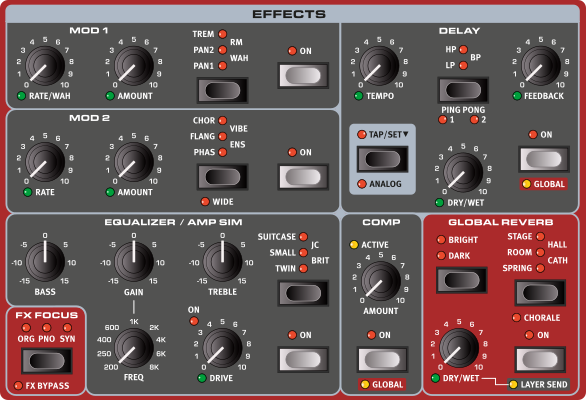
Each section on the Nord Electro 7 has its own, independent, effects chain, enabling different effects and settings to be used for each sound source on the Nord Electro 7. The one exception is the GLOBAL REVERB effect which, as the name indicates, is globally shared by all sections in a Program. With the Reverb set to the LAYER SEND mode however, its Dry/Wet level can be set individually per Layer – all other Reverb settings still being shared.
ACTIVATING EFFECTS AND GLOBAL MODE
To enable an effect, press its ON button.
The Compressor and Delay effects can be set to GLOBAL mode, which applies the effect to active sections. This is done by pressing Shift+On for that effect. When turning Global mode off all sections will share the same settings for that effect, until modified manually.

FX FOCUS AND FX BYPASS
Pressing FX FOCUS focuses the Organ (ORG), Piano (PNO) or Synth (SYN) effects for editing respectively.
FX BYPASS Shift+FX Focus) can be pressed for instantly turning on or off all effects at once. Useful for monitoring how a Program sounds without active effects.
EXPRESSION PEDAL CONTROL
Many parameters in the Effects section can be controlled by an attached Expression Pedal. See page 29 for details on how to set up or clear Expression Pedal assignments.
MOD 1
The MOD 1 unit offers five different types of modulation effects. Use its Selector button to switch between the available settings, the RATE/WAH knob to set the rate (or sensitivity in case of the WAH effect) of the selected effect and the AMOUNT knob to set the amount or intensity of the effect.
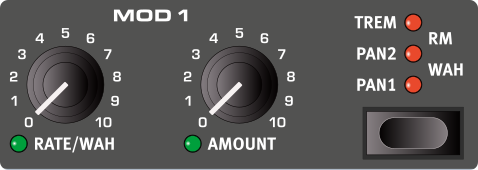
Both the Rate/Wah and Amount controls can be assigned to an attached Expression Pedal.
PAN 1 & 2
PAN 1 is an automatic panning modulation which smoothly moves the signal between the left and right sides of the stereo panorama.
The PAN 2 setting provides a harder panning option, more in line with the traditional “vibrato” effect often used with electric pianos.
TREM (TREMOLO)
TREM (Tremolo) provides a smooth volume modulation that continuously varies the volume level of the output signal. Tremolo is a very common effect to use with electric pianos.
WAH
The WAH (Wah-Wah) effect gives the sound a characteristic, “Quack”-like character and can be extremely useful on electric pianos and Clavinets. The Wah-Wah modulation is produced by a resonant lowpass filter that can be swept across the frequency range using the Mod 1 RATE knob. During the sweep, the filter’s characteristics also changes.
The Wah effect uses the signal’s amplitude to control the filter sweep range, making the effect “velocity sensitive” (technically referred to as an “envelope follower”).
This effect can also be used as a traditional Pedal Wah with an Expression Pedal connected and assigned to the Rate/Wah parameter. See page 29 for details on how to set this up.
RM (RING MODULATION)
Ring Modulation (RM) is a type of modulation where two signals are multiplied with each other, resulting in an in-harmonic “bell like” sound. On the Nord Electro 7 the instrument signal is multiplied with a sine wave.
The Rate knob adjusts the frequency of the modulating sine wave.
MOD 2
MOD 2 provides a selection of modulation effects, including Phaser, Flanger, Chorus, Vibe and an Ensemble effect. Each effect has its rate controlled by the Mod 2 RATE knob while the AMOUNT knob controls the intensity of the effect.
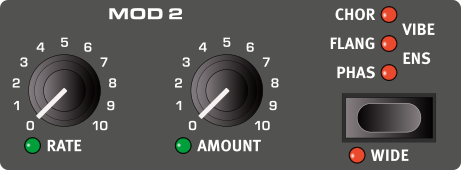
Both the Rate and Amount controls can be assigned to an attached Expression Pedal.
WIDE
By default all effects in the Mod 2 unit operate in mono. Press WIDE (Shift+Mod 2 selector) to change to wide, stereo processing instead.
PHASER
The PHASER effect produces a characteristic “sweep” effect, commonly used with electric piano sounds. The digital model for the phaser of the Nord Electro 7 is inspired by the classic Small Stone unit.
FLANGER
The FLANGER produces a dramatic comb filter effect, giving the sound a “swooshy” and resonant quality.
CHORUS
The versatile CHORUS effect gives the impression of “widening”, or with more extreme settings severely detuning, the sound – achieved by blending a number of modulated copies of the audio signal.
VIBE
The VIBE effect draws its inspiration from a classic foot pedal effect and produces a sound with both pitch-bending and phasing qualities. The effect is created through a digital model of a staggered series of phasing filters, unlike the usually aligned filters of a normal phasing effect.
ENSEMBLE
The ENS (Ensemble) effect is modeled after a vintage Eminent organ effect. The very characteristic sound comes from feeding the audio into three separate, modulated delay lines, that are cross-connected with each other.
EQUALIZER/AMP SIM
EQUALIZER
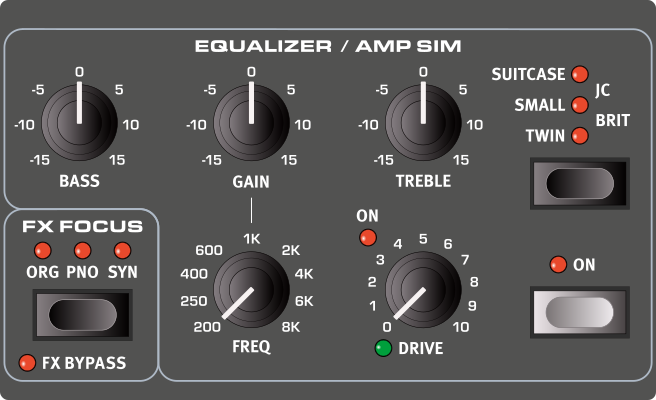
The three band EQUALIZER features controls for bass, a sweepable middle band and treble.
The BASS frequency is set to 100 Hz, the TREBLE frequency is 4 kHz and the sweepable middle band can be set between 200 Hz to 8 kHz, using its FREQ knob.
The boost/cut range is +/- 15 dB for all bands.
AMP SIM
The AMP unit includes sophisticated amplifier and speaker cabinet simulations and versatile tube-like distortion. The amount of overdrive is controlled with the DRIVE knob. The LED indicates when the overdrive is active.
The Drive parameter can be controlled by an attached Expression Pedal.
TUBE OVERDRIVE
With no Amp Model selected the Amp unit provides a tube style overdrive effect which can be used for anything from subtle saturation to screaming distortion.
AMP MODELS
There are five different amplifier/speaker simulations, each with its distinct character:
TWIN: A simulation of a classic twin speaker tube amplifier and accompanying 2x12 cabinet.
SMALL: Simulates the built-in tube amp and small speakers of a reed-based electric piano.
SUITCASE: Provides the sound of a Mk II Suitcase cabinet, coupled with a classic “P-style” preamp.
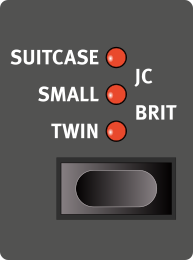
JC: A simulation of a classic solid-state amplifier and 2x12 speaker cabinet, known for its distinctly clean and bright sound.
BRIT: A classic, British, plexi-style amplifier head coupled with a vintage 4x12 cabinet.
COMPRESSOR
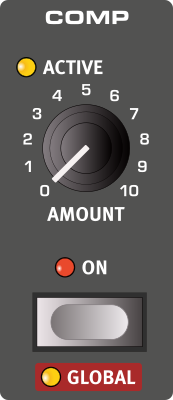
The COMP (Compressor) effect reduces the dynamic range of the sound, making low level signals louder and high level signals more quiet. This produces a tight, punchy sound and makes the overall level easier to control in a live mix situation.
The ACTIVE LED indicates when the Compressor threshold is surpassed and compression is applied to the source sound.
The Compressor effect can be set to GLOBAL (Shift+On) mode, which applies the same settings to all sections.
Delay
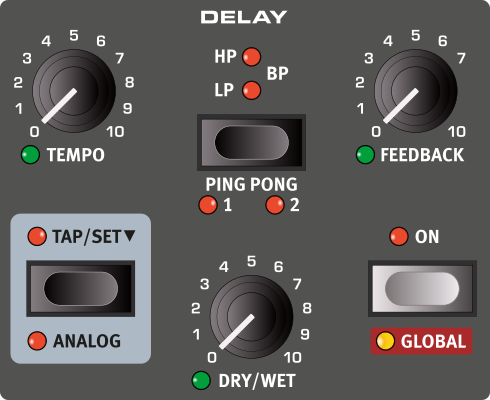
The DELAY unit produces echo/repeat effects. The Delay time is set by tapping the TAP button, or by pressing down on it and SET the tempo using the Program section dial.
The FEEDBACK knob controls the number of delay repeats. At the lowest setting only the initial repeat is heard, while the highest produces a very long feedback tail.
The DRY/WET knob adjusts the balance between the dry signal and the delay repeats.
The Delay effect can be set to GLOBAL (Shift+On) mode, which applies the current settings to all active sections.
The Delay Feedback, Dry/Wet and Tempo controls can be assigned to an attached Expression Pedal.
With PING PONG (Shift+Tempo) turned on, the delay repeats alternate between the left and right channels. If short delay times are used, these repeats will be “asymmetrical” and produce delays that are more like early reflections in reverb units.
There are three settings to choose from (1, 2 and 3 with both LEDs lit), giving an increasing amount of pan for the delay repeats.
FB FILTER
The feedback filters, selected with the FB FILTER button, are great tools for shaping the delay sound, especially when large feedback amounts are used. Each consecutive Delay repeat is fed through the filter, resulting in a progressively more filtered sound.
With the LP setting, all delay repeats are passed through a Low Pass filter which reduces high frequency content in the delay feedback signal.
The HP setting provides a High Pass filter, removing low frequency content. This can be useful for making long delay tails sound less muddy.
The BP setting adds a Band Pass filter to the delay signal. This will reduce both high and low frequencies, making for a thin and narrow sound.
TEMPO TAP
Use TAP to set a delay time matching the tempo of a song. The tempo is displayed both as a BPM (Beats Per Minute) value as well as in milliseconds. Simply tap the Tempo button at the tempo you wish the Delay to sync to a number of times, and the Delay time will be adjusted automatically.
A minimum of two taps is required for defining a tempo, but the button can be tapped as many times as needed for further fine-tuning of the delay time.
ANALOG MODE
There are two different delay modes, the normal (“non-analog”) mode, and the ANALOG (Shift+Tap/Set). In Analog Mode the pitch of any sounding repeats is altered if the tempo is changed – much like with a vintage analog delay. What’s more, the exact character of each feedback Filter setting differs slightly from when in “non-analog” mode. In Analog Mode a slight distortion is also introduced into the delay line with each tap – especially noticeable with larger feedback amounts.
GLOBAL REVERB
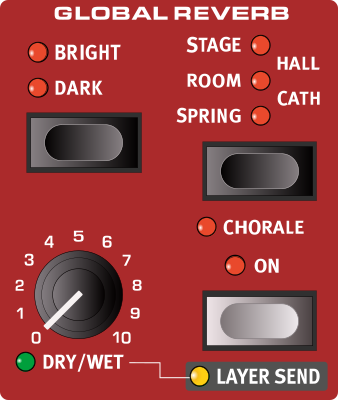
The GLOBAL REVERB unit simulates the natural sound reflections in various acoustic environments. The Reverb is a “global” effect, which is to say that its settings are shared by all active sections, unless Layer Send is active (see below) in which individual Dry/Wet amounts can be set per section.
The Reverb Dry/Wet Level can be assigned to an attached Expression Pedal.
REVERB TYPES
There are five different Reverb types to choose from:
SPRING: The Spring setting reproduces the sound of a traditional spring reverb tank, a common feature on tonewheel organs, in guitar amplifiers and in many other kinds of equipment.
ROOM: In Room mode the Reverb has the character of a medium sized room with a relatively short decay time.
STAGE: The Stage Reverb has a medium length decay time and a natural sounding room ambience.
HALL: The Hall setting has the response and character of a spacious hall, with a long decay.
CATH: The Cathedral is a very large and immersive reverb, with a very long decay time.
BRIGHT/DARK AND CHORALE
The BRIGHT or DARK mode can be used for all Reverb types to alter the frequency response of the Reverb. Set to Bright, low frequencies are slightly dampened and more high frequency content is preserved in the Reverb signal. The Dark mode instead dampens high frequencies.
The CHORALE setting (Shift+Reverb Type) increases the pitch modulation of the Reverb signal for a more lively and effected sound.
LAYER SEND
Even though the Reverb on the Nord Electro 7 is a global effect – with shared settings for all Layers – individual Dry/Wet amounts can be set per Layer. This is achieved by activating LAYER SEND (Shift+On) and then adjusting the Dry/Wet amount manually per Layer.
When Layer Send is turned off, the Dry/Wet amount for the currently focused Layer is applied to all Layers.
ROTARY SPEAKER
The Rotary Speaker effect accurately reproduces the sound of the rotating horn and bass rotor, as well as the characteristics of the built-in amplifier of the original rotary construction.
The Rotary Speaker is turned On or Off by pressing the ROTARY On button.
The source for the Rotary Speaker can be Organ, Piano or Synth, and is changed by pressing Shift+Rotary to select ORG, PNO or SYN respectively.
ROTARY SPEED CONTROL
Switch between fast, slow and stopped rotor speeds by pressing the FAST, SLOW and STOP buttons.
A SUSTAIN pedal or a foot switch connected to the ROTARY CTRL/FOOT SW input can be used for controlling the rotor speed.
The optional Nord Half Moon Switch can be used for switching Rotary speed in an even more traditional fashion. Read more about rotor control on page 45.
FIXED ANGLE
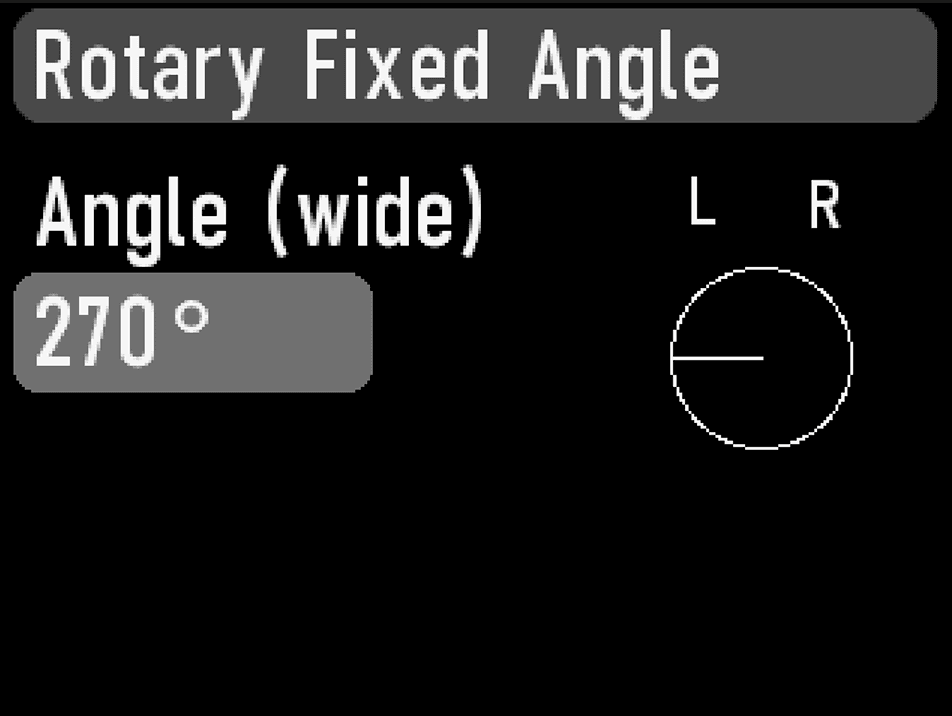
To have the speaker sound exactly the same every time the rotors are stopped, activate FIX ANGLE by pressing Shift+Stop. To adjust the angle, press and hold Fix Angle to open the Rotary Fixed Angle page, where the stop angle can be adjusted freely between 0-360 degrees, by turning the PROGRAM dial.
MICROPHONE POSITIONS
The Nord Electro 7 Rotary Speaker has three distinct microphone positions to choose from, using the MIC POS selector. Each position, CLOSE, WIDE and XY provides its own character in terms of frequency response and stereo image.
Unlike most other panel controls the Microphone Position is system global, meaning that it is not stored per-program.
The XY microphone position is highly mono compatible and suitable for scenarios where a very centered rotary speaker sound is desired.
BASS WIDE
This option changes the sound of the bass rotor from a single microphone (mono) perspective to a dual microphone (stereo) configuration. Press BASS WIDE (Shift+Mic Pos) to select between the two options.
DRIVE
The DRIVE knob controls the amount of overdrive. This simulates the pre-amplifier overdrive of the original rotary speakers.
In addition to the Rotary Drive, the Equalizer/Amp Sim Drive effect can be used in combination with the rotary speaker sound, if even more grit is desired.
The Rotary Drive parameter is dependent on the processed instrument’s Level setting. If the instrument being processed by the Rotary is set to a very low level, the amount of available drive will be significantly reduced. Again, this is very much like how it works on the original instruments and amplifiers - when you increase the organ level, e.g. by using a swell pedal, the amount of distortion from the Rotary effect increases.
ROTARY SPEAKER AND REVERB
On the Nord Electro 7, the Reverb effect is placed before the Rotary Speaker if the Spring Reverb type is being used. With all other Reverb types, the Reverb is placed after the Rotary Speaker.
ROTARY MENU SETTINGS
There are several parameters in the Sound Menu that allow for detailed adjustments of the behaviour and sound of the Rotary Speaker. Read more about on this on page 42.